Firmware Development, Built For Hardware Teams
Turn datasheets into working firmware. Build, flash, debug, and validate embedded software in a single environment.
Developed using production firmware projects, real hardware documentation, and embedded debugging workflows.
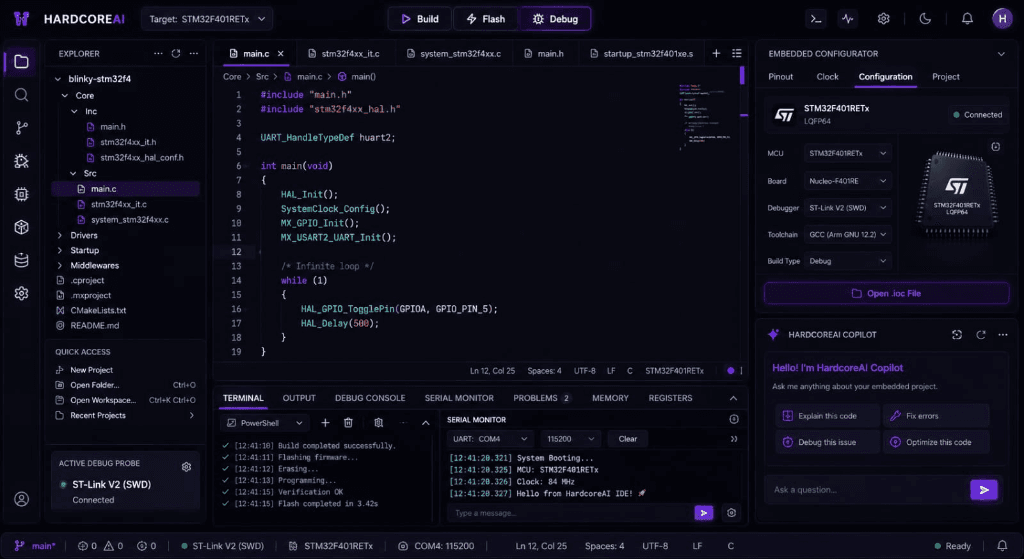
Platform capabilities
Everything in one environment.
No more switching between CubeMX, a text editor, a terminal, and a debugger.
How it works
From datasheet to deployed firmware.
Open your hardware project
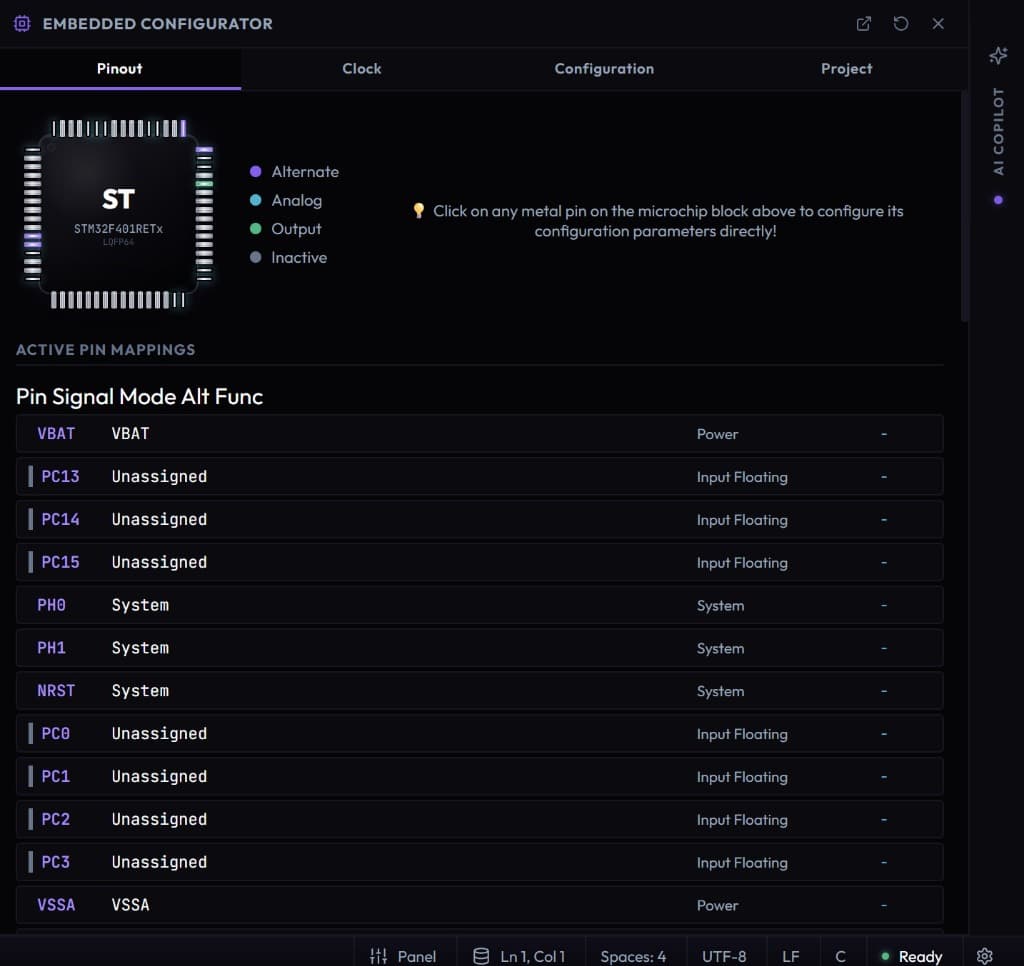
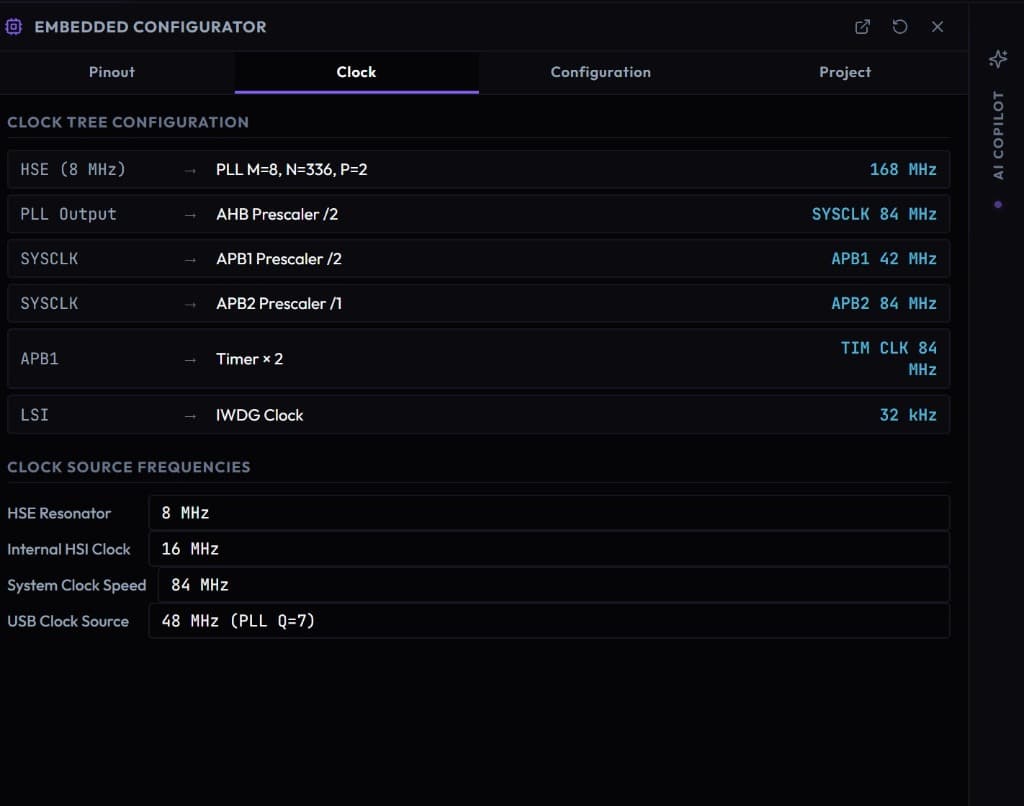
Import your microcontroller, load your schematics and datasheets. HARDCOREAI reads your hardware context — pinout, peripherals, clocks.
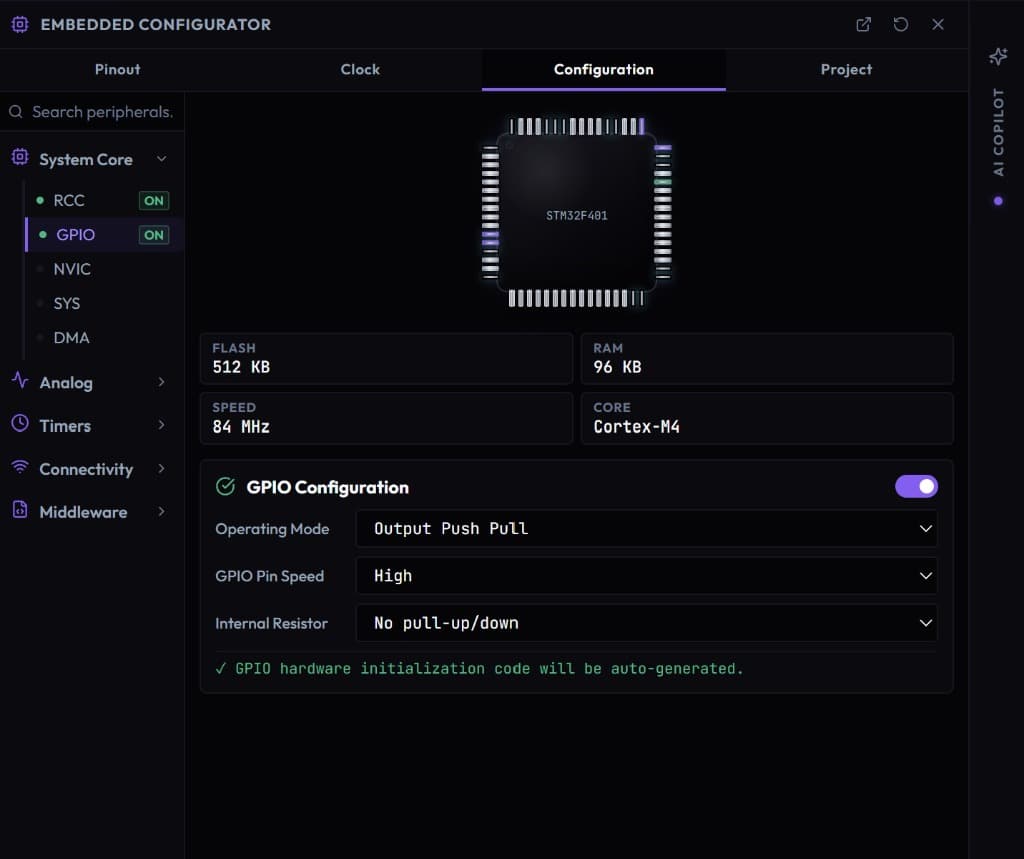
Configure peripherals visually
Use the integrated embedded configurator to set up UART, SPI, I2C, timers and GPIO without leaving the editor. Changes reflect in code instantly.
Generate firmware with AI
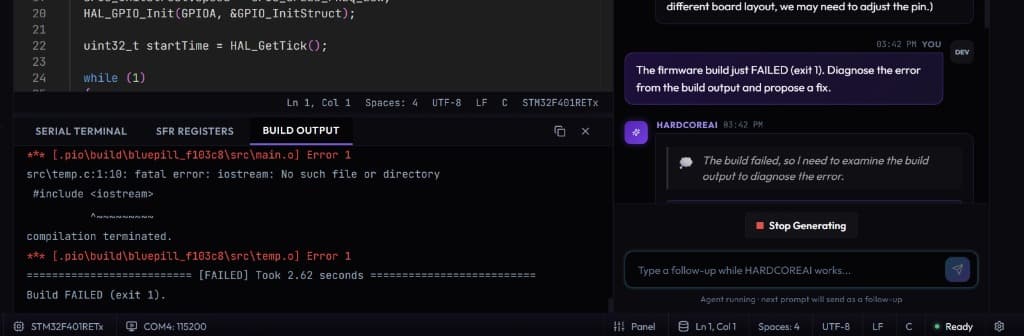
Describe what you need in plain language. The AI copilot writes firmware grounded in your actual hardware configuration, not generic examples.
Flash, monitor, and debug
Build and flash directly from the IDE. The serial monitor and build output live in the same window. Iterate fast on real hardware.
Built for engineers who care about hardware.
Every panel, every feature was designed around the real embedded development workflow.
Why HARDCOREAI
Firmware teams ship faster.
No more tool chaos
CubeMX, VS Code, PlatformIO, a terminal, a serial monitor — unified into a single purpose-built IDE.
Knowledge that stays
Hardware context, peripheral configs, and debugging notes are preserved in the project — not lost when an engineer leaves.
AI that knows your hardware
The AI copilot is grounded in your actual MCU, your actual pinout, your actual peripheral config — not generic examples.
Faster onboarding
New engineers go from zero to their first flashed firmware in hours, not weeks. Hardware context is already in the project.